
The coaching app that keeps clients training
Asked your coaching app for something simple and still waiting for it? Tell us what you need. CoachRack gives you time back and keeps you close to every client: you set how they progress once, CoachRack builds next week from what they log, and you approve it.
01://ENGINE
Set it once. Approve next week.
No more rebuilding programmes by hand. You set how each client progresses once. Every week CoachRack takes what they logged and writes their next week, and nothing reaches their phone until you approve it.
- Deloads that arrive on schedule, and never add work
- Future weeks projected ahead and marked as a forecast you can still change

Try it with your nameSix guided screens on sample data. It takes about two minutes.
02://FILM
Every session comes back to you, in one place.
No chasing messages to see who trained. Each finished session lands in one queue: what they did against what you set, in their own words. You write one line back and it's on their phone, so they know you saw it.

With VIP, they hear your voice on their lift VIP
Clients film their sets in the app. You record your reaction against each clip, and nothing reaches them until you press send. The film carries your voice, not the gym.
New films are flagged until watched, so you know what landed.
They film
In the app, mid-session. The clip lands in your Film Room, newest unreviewed first.
You react
Record your reaction and notes, one clip at a time.
They watch
One film of their lift with your voice over it, a chapter for each exercise.
03://WATCH
It names who needs you, before they drift.
You usually find out a client is gone when they cancel, weeks after the drift started, and nobody has time to scroll every chat to catch it. Seven signals watch every client: nothing logged yet, gone quiet, missed sessions, adherence dropping, a streak broken, sessions rated weaker, silence in chat. The board puts the hardest-hit first, so the top name is the person who needs a message today.
It isn't only bad news: clients who are flying get named too, so you can tell them so.

04://THEIRS
Their side builds the habit, under your name.
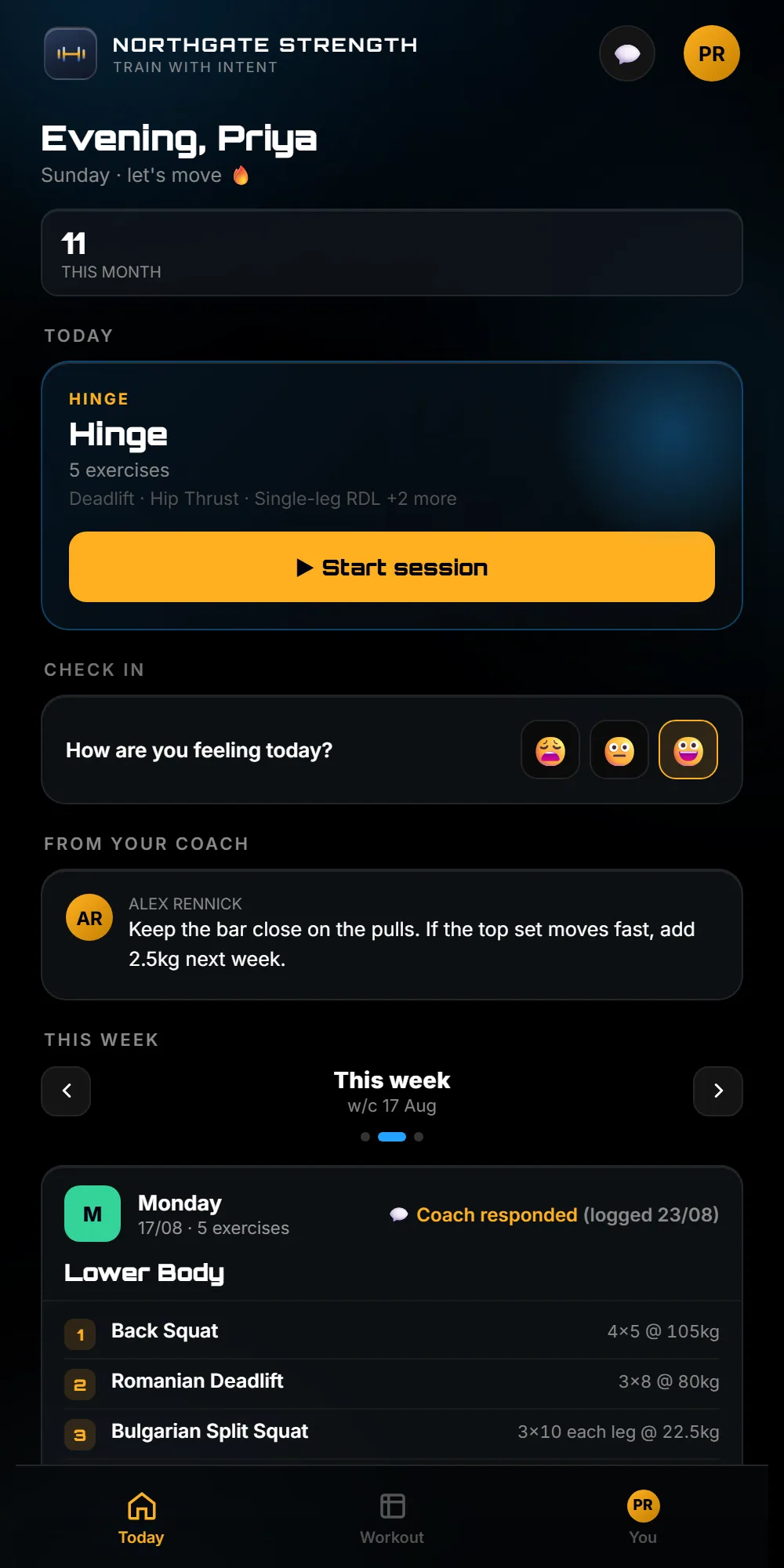
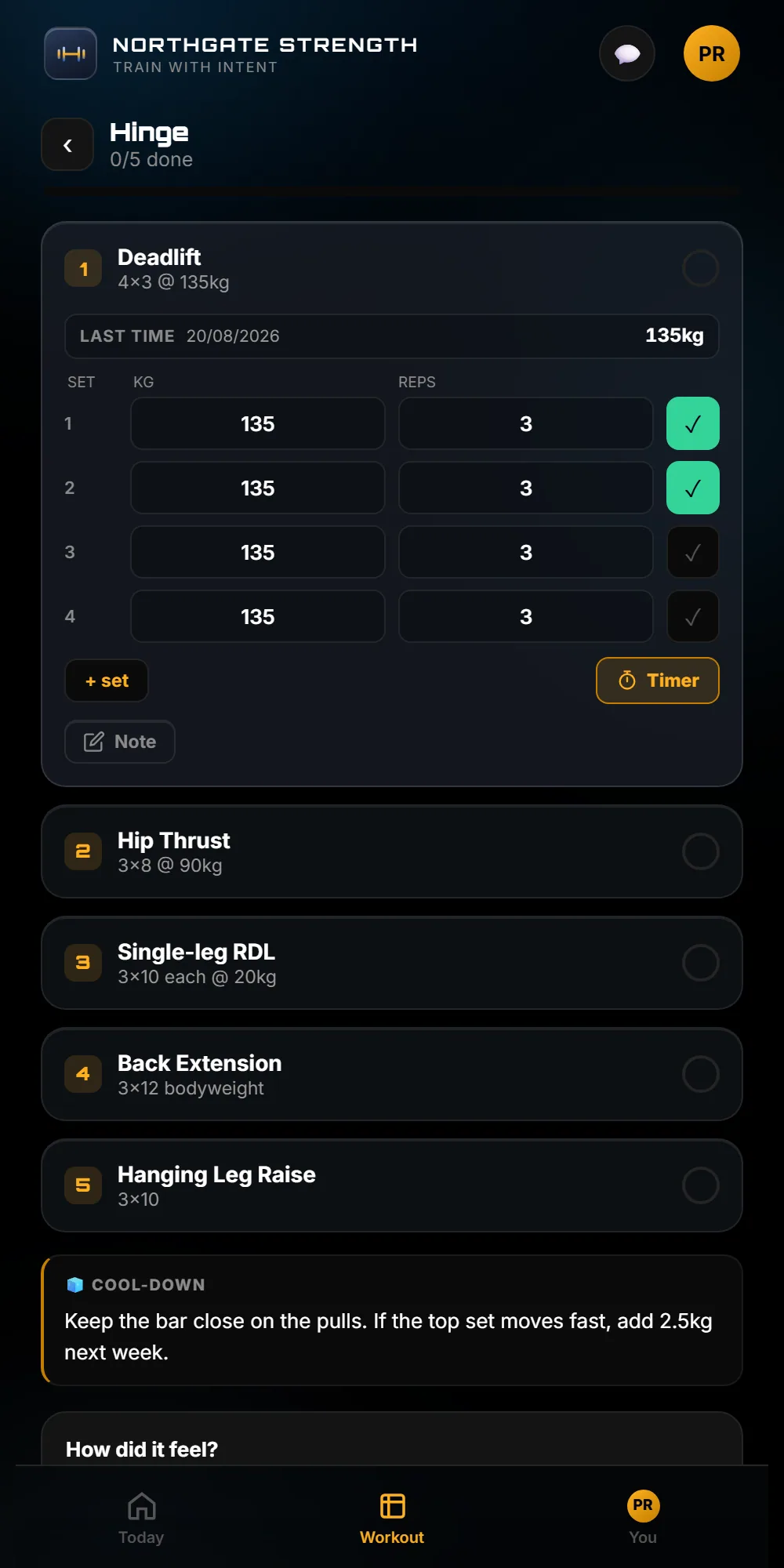
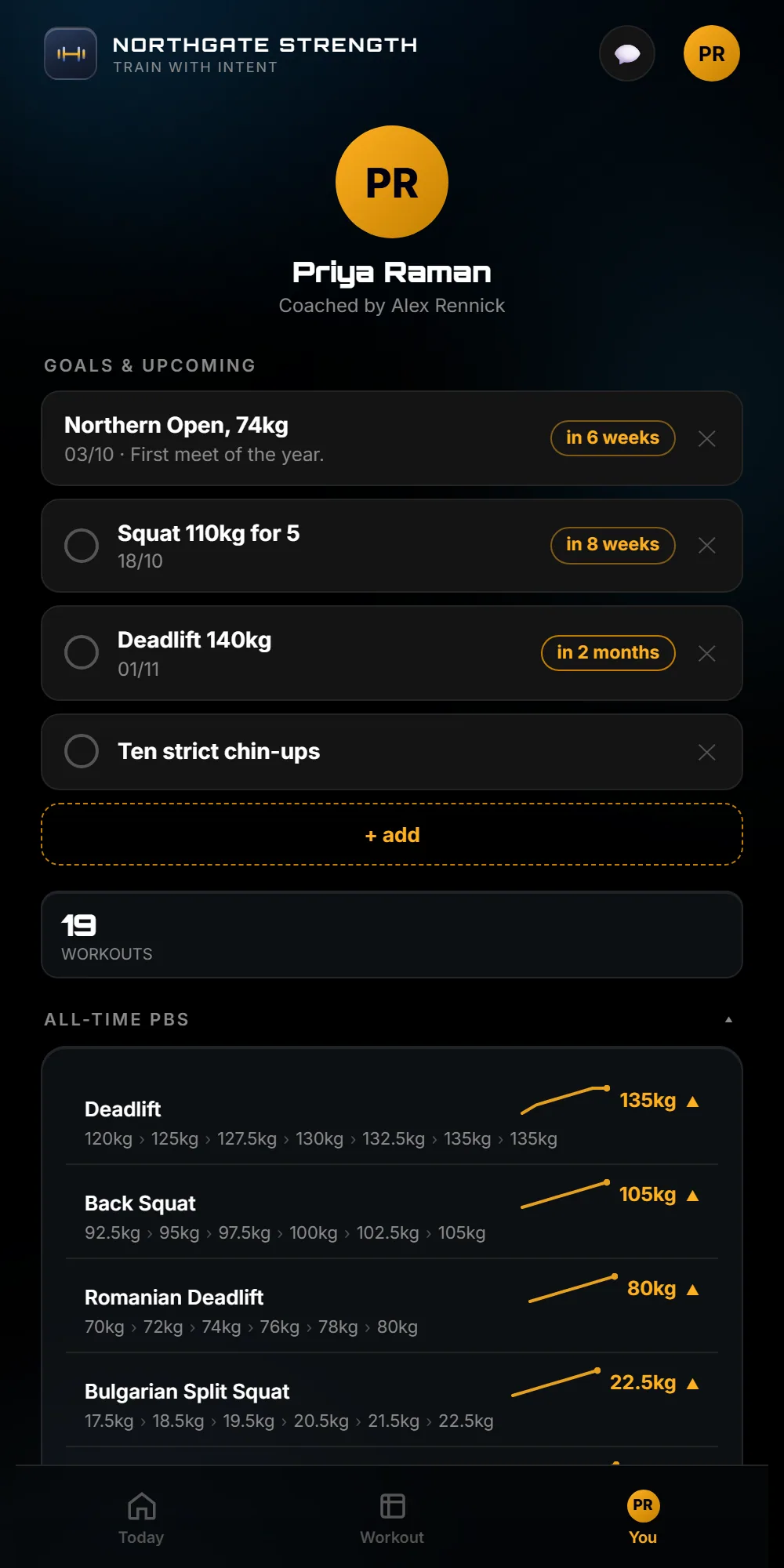
The app installs on their phone under your name. Today's session is one tap away, every set carries your exact prescription, and a personal best earns a medal. You choose which clients get streaks and timers.
It logs in basements too. Sets are kept on the phone and sent in order when the signal returns, and the app says so plainly.
05://KIT
And the rest of the kit.
Nothing on this page is a roadmap. All of it is in the app today.
Check-ins
Ask the question you want answered, save it as a template, and see who hasn't replied. They sit on the week calendar as a coloured strip.
Demo videos
Your own YouTube clip on any movement, with a Watch button in their session. Paste 50 links at once and it matches them to movements. Unlisted videos stay unlisted.
An honest calendar
Missed days are backfilled as missed, early sessions log early, and the programmed day never moves by itself.
06://MOVING OVER
Bring your programmes across without retyping them.
Coming from another coaching app? On a laptop or tablet, paste your programmes in, or add a .csv, a PDF or a screenshot. They come back as rows you check, and nothing saves until you save. A programme of several weeks comes in as one programme. Clients come across from a spreadsheet, with a preview first.
Tell us what's missing. CoachRack is built with a working coach, for coaches. A weekly check-in that repeats itself, a comment box on each exercise and full programmes of several weeks were each a coach's request first. All three are in the app today.
07://YOURS
It wears your name.
CoachRack is the name you buy it under. Your clients see your studio's name, on every package. Your colour, logo and tagline come with VIP. Each studio's data is kept separate.
Base
- The full coaching workspace: week grid, templates, rules, messaging
- The client app, streaks, medals and check-ins included
- The board that names who needs you
- Demo videos from your own YouTube clips
VIP
- Everything in Base
- Your own demo videos, uploaded privately to your app, not on YouTube
- Clients film their lifts in the app and they land in your Film Room
- Film review: one film of their lift with your voice on it
- Your own branding through the whole client app: colour, logo and tagline
Up to 10 clients
a month
Up to 25 clients
a month
Up to 50 clients
a month
Up to 100 clients
a month
Up to 200 clients
a month
Founding 10: VIP at £29 a month for your first 6 months, then your band's price, held for 12 months. For the first 10 coaches to pay. 6 of 10 places left.
Prices are for one coach and their clients. A second coach, more than 200 clients, a club, or anything that doesn't fit a band: ask us and we'll price it straight. Every studio starts on a 30-day trial. Pay monthly with no contract: one message stops it, and you keep access to the end of the month you paid for.
08://ASKED
Asked before the call.
Do my clients see your name anywhere?
The app carries the studio name. Every package includes this. Colour, logo and tagline are part of the VIP package, switched on per studio.
How do you set the programme for a session?
You set how each client progresses once. Each week the app writes the next week from what they logged, and you approve it before they see it. You can read back why any session changed.
What does it cost?
The bands are on this page: VIP from £32 a month and Base from £22 a month for one coach and up to 10 clients, rising with client count. Prices include any VAT due. Every studio starts on a 30-day trial.
Which phones does it work on?
It installs to the home screen on iPhone and Android from the browser, and it keeps working when the signal drops.
Start your 30-day trial.
Tell us who you are. We set up your studio with your name on it and send you the login. The trial runs 30 days. If it doesn't fit how you coach, we'll say so.